Host STDIO servers with OAuth
STDIO MCP servers are quick to build but hard to share—they run locally, expose no network endpoint, and have no access control. MintMCP hosts them in secure containers with OAuth authentication, so you can share a stable URL with your team.
If your hosted connector also needs to call an OAuth-protected external service on behalf of users, see OAuth for hosted connectors.
Prerequisites
- MintMCP admin account
- A working STDIO MCP server
Two options
Host via the web interface or the CLI. The Admin MCP can also drive the setup from any MCP client: an agent walks the deploy, configures environment variables, and checks startup status conversationally.
Via the web interface
Navigate to MCP store, click + Add an MCP to your registry, and select Host an open source or custom MCP. Enter the MCP "Standard Config" JSON. For example:
{
  "mcpServers": {
    "supabase": {
      "command": "npx",
      "args": [
        "-y",
        "@supabase/mcp-server-supabase",
        "--read-only",
        "--project-ref=<project-ref>"
      ],
      "env": {
        "SUPABASE_ACCESS_TOKEN": "<access-token>"
      }
    }
  }
}

If your MCP server depends on private npm packages, see Using Private npm Packages in Hosted Servers for configuration details.
If the server requires configuration (arguments or environment variables), substitute values in the JSON, or set their scope to "Per-User".
- "Global" applies the JSON value to all users in your organization.
- "Per-User" prompts each user to enter their own value the first time they access the server.

All environment variables stored are securely encrypted when hosted on MintMCP.
Once created, MintMCP launches the server in a secure container. You will be redirected to the connector page for your newly created MCP server.
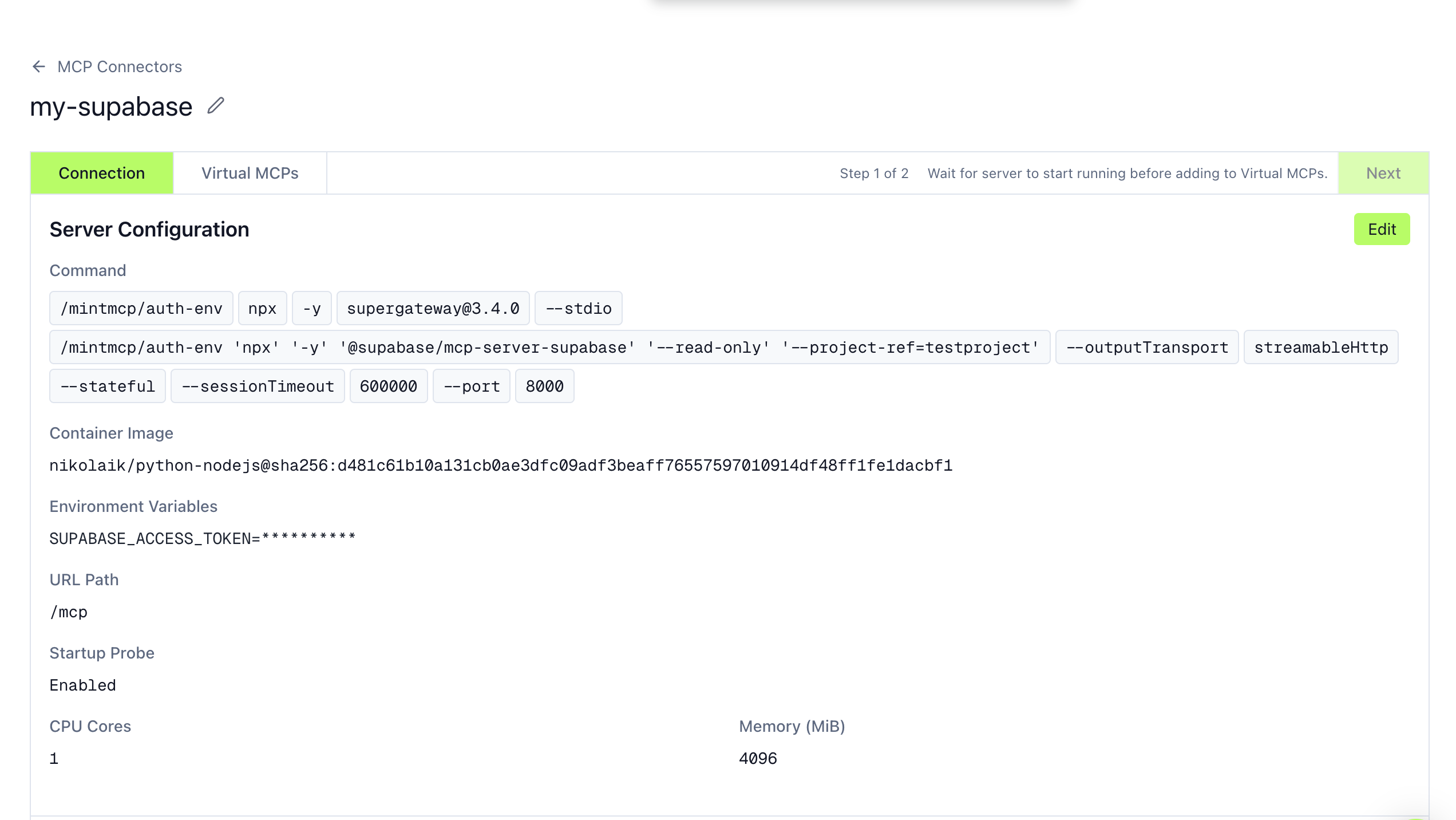
If you configured any "Per-User" variables, you must enter their values and click "Save" before the server will start up:

If configured properly and runnable, your server will start up in less than one minute and you'll see an indication that your hosted server is running, with the list of tools it exposes and all server revisions listed.
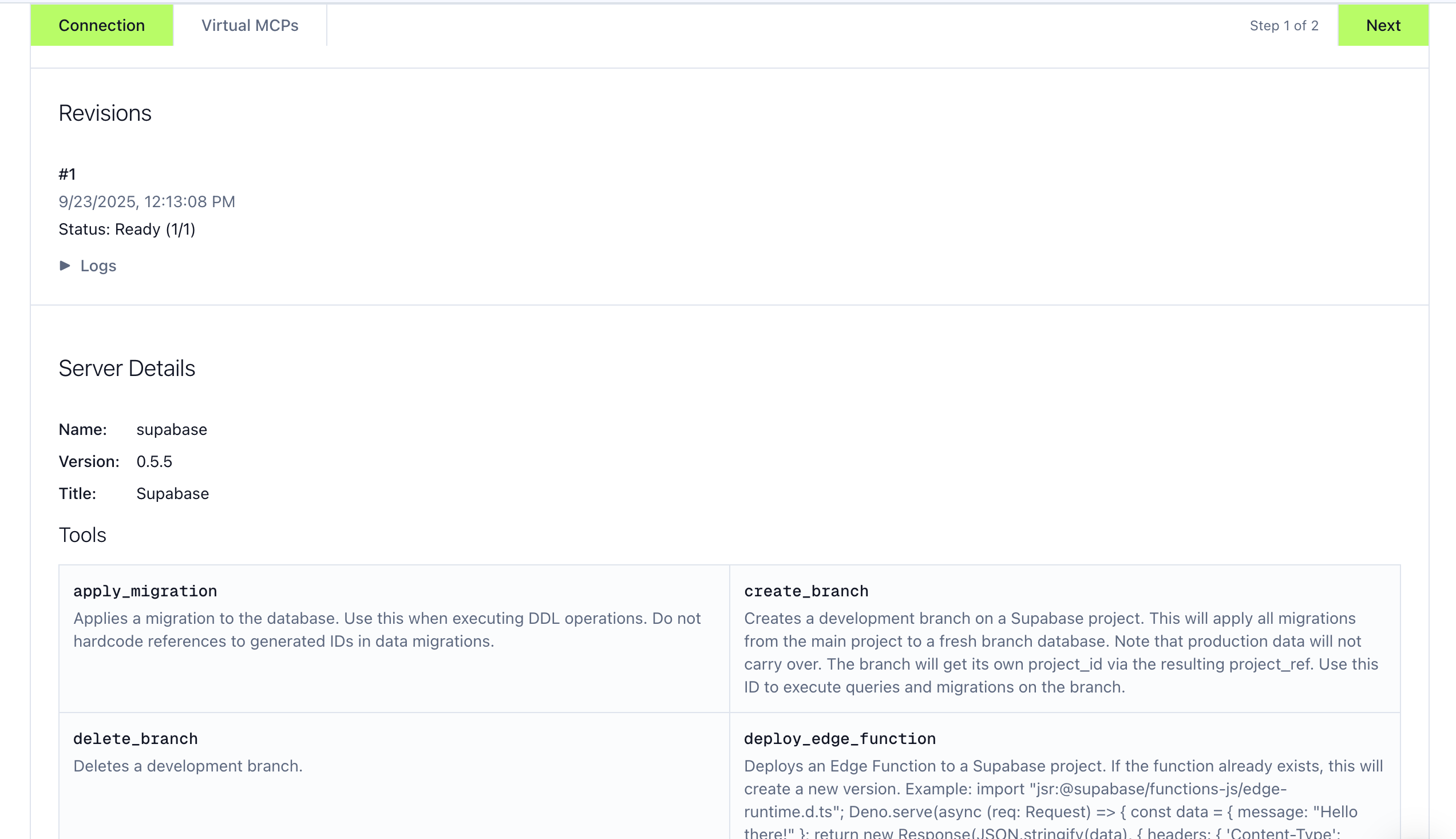
If your server fails to start up, inspect the logs for errors and configuration issues (e.g., missing arguments or environment variables).
Via the CLI
Use the Hosted Server CLI to deploy directly from your project directory:
npx @mintmcp/hosted-cli deploy -n "My Server"
See the CLI documentation for full setup instructions, including JavaScript, Python, and custom server deployments.
Video walkthrough: Enable OAuth for STDIO MCP Servers
Add to an MCP server
Once your hosted connector is running, add it to an MCP server so users can connect.
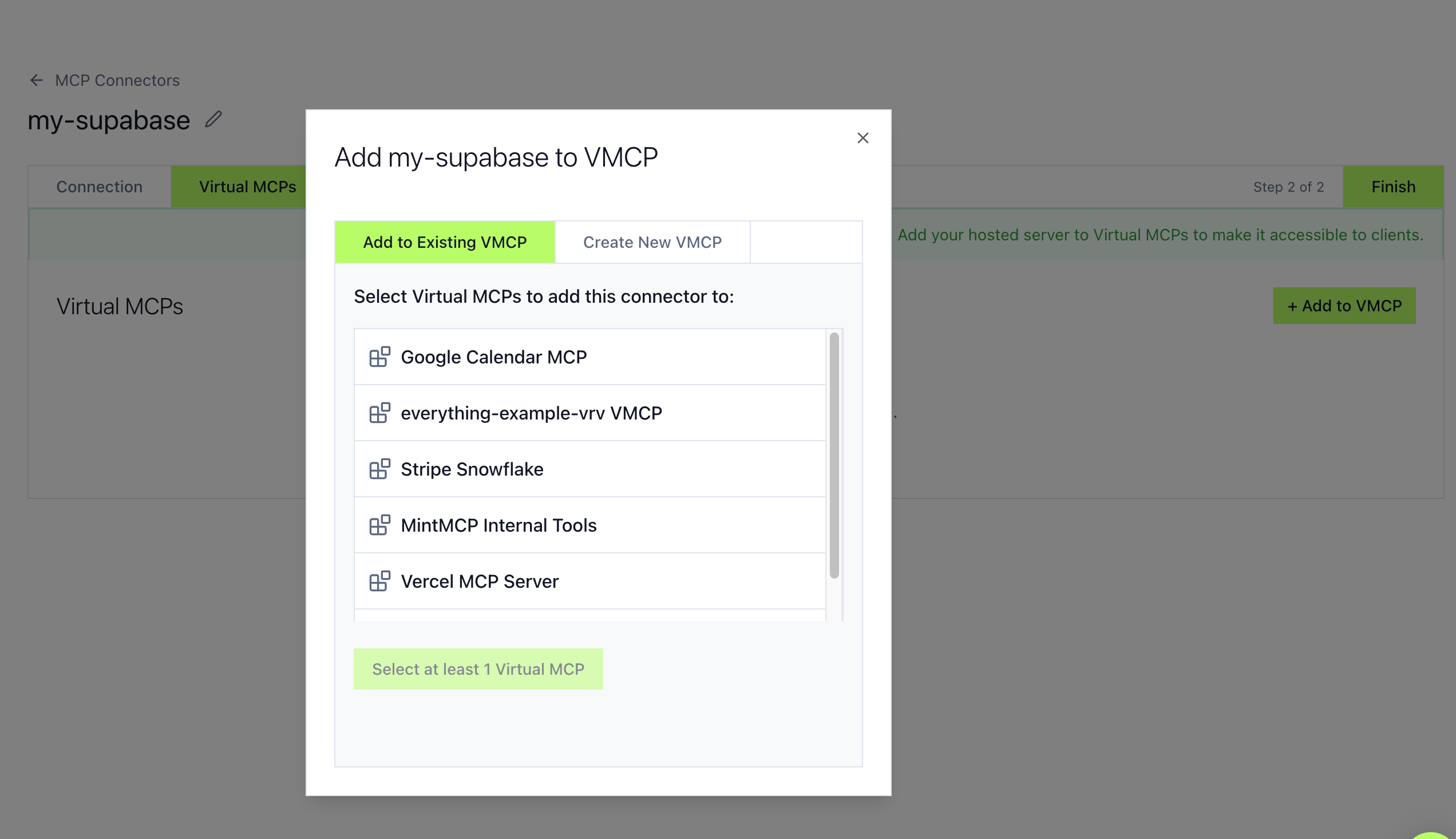
Share the MCP server URL with your team. See the User guide for connection instructions.
Next steps
- Tool customization — Control which tools are exposed
- Activity log — Audit all tool calls
- Add multiple connectors to create curated tool sets for different teams